Deborah R. Fowler
Circle Illusion
On Facebook I saw a video
showing this circle illusion (not a kitty video!). This
looked like a fun thing to try in Houdini. It really is all
about sin curves and offsetting the phase of the curve for
each individual sphere.
The spheres are moving on a straight line, but it gives the illusion they are moving in a circle. The key is that the motion is not constant.
There is an excellent explanation given here. The diagram below is from this site.
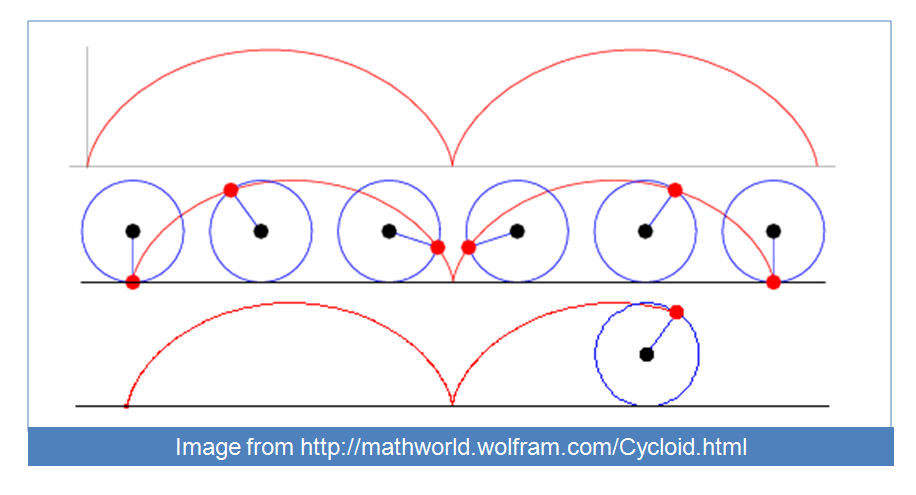
The velocity of each circle speeds up and slows down according to a cycloid (rim of the circle rolling along a line). (Galileo 1599)
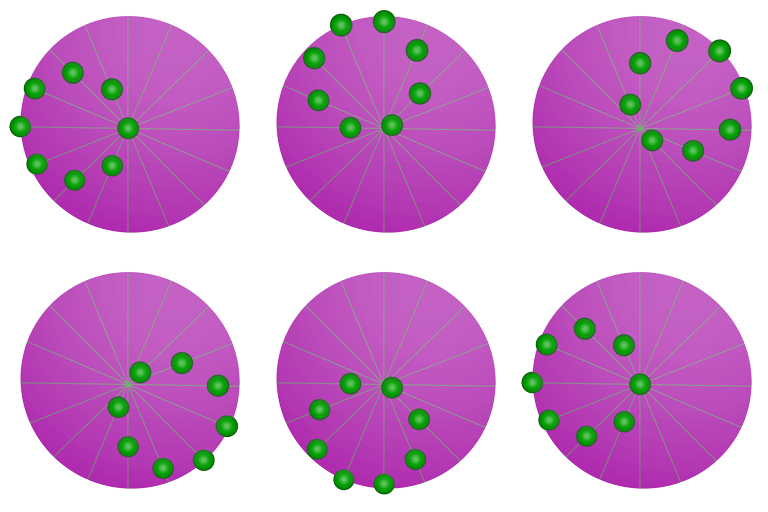
In Houdini, this is simple to implement. Move a sphere along a line according to the sin of the frame number ($F) and then copy that line/sphere while offsetting the sin phase (you can easily do that with copy stamping.
Circle Illusion I created in Houdini. The key is to offset the phase of the sin (so you can use $CY * 90/4 in the copy stamp function and then add this to the sin curve as an offset ie. 5 * sin($F*4 + stamp("../copy1","offset",0)))
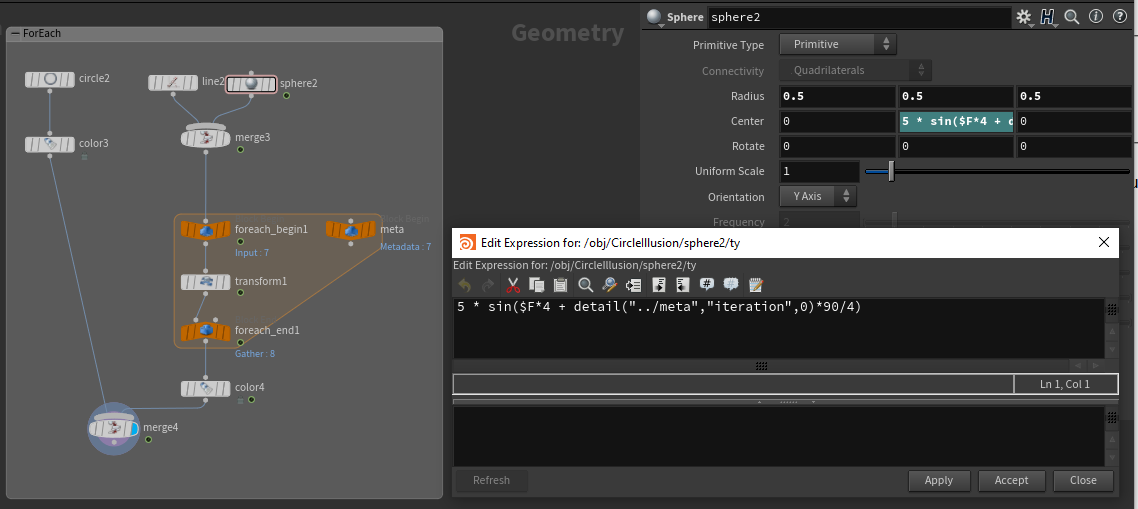
In the for-each version this interprets to a sin curve offset with the expression 5 * sin($F*4 + detail("../meta","iteration",0) * 90/4) as shown below.
Network using for-each is below. Updated to Houdini 18 from Houdini 14 copy stamping technique. Same principle of using the "copy number" outside the loop, but now with for-each loops Example circleIllusionH18.hipnc
Our eyes have difficulty not seeing it as a circle, however below with the "saturn" rings around you can follow the linear path of the individual components more easily.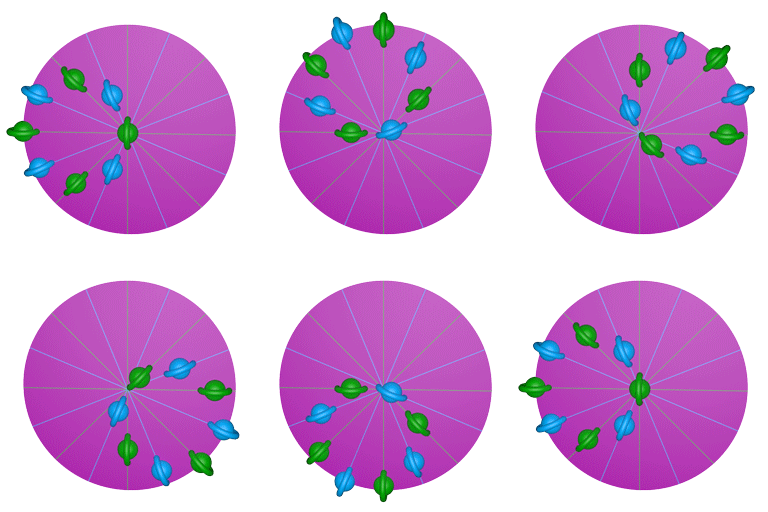 Another
visual exists when I was asked about procedural springs. Click
on the image below to see the page.
Another
visual exists when I was asked about procedural springs. Click
on the image below to see the page. 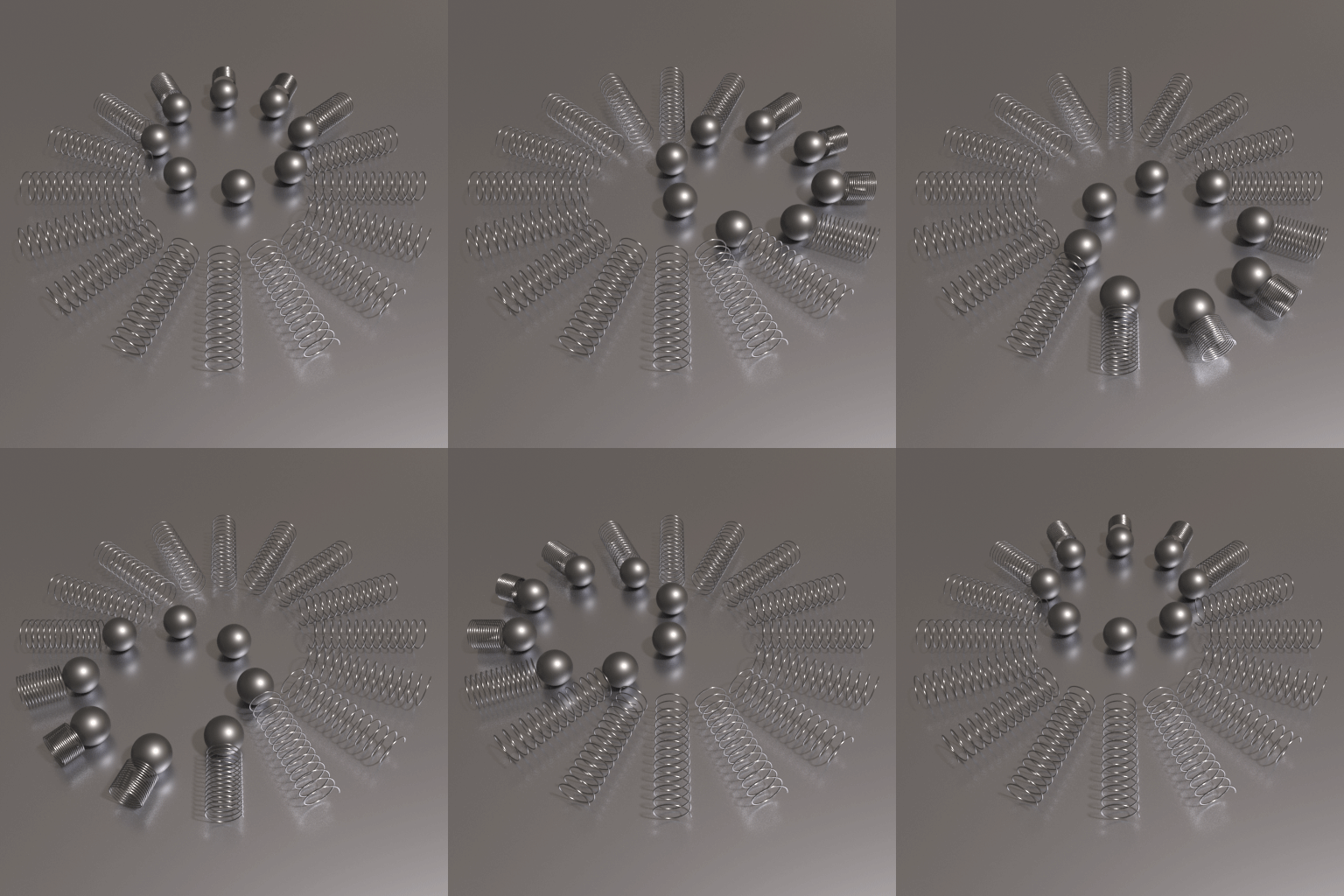
The spheres are moving on a straight line, but it gives the illusion they are moving in a circle. The key is that the motion is not constant.
There is an excellent explanation given here. The diagram below is from this site.
The velocity of each circle speeds up and slows down according to a cycloid (rim of the circle rolling along a line). (Galileo 1599)
In Houdini, this is simple to implement. Move a sphere along a line according to the sin of the frame number ($F) and then copy that line/sphere while offsetting the sin phase (you can easily do that with copy stamping.
Circle Illusion I created in Houdini. The key is to offset the phase of the sin (so you can use $CY * 90/4 in the copy stamp function and then add this to the sin curve as an offset ie. 5 * sin($F*4 + stamp("../copy1","offset",0)))
In the for-each version this interprets to a sin curve offset with the expression 5 * sin($F*4 + detail("../meta","iteration",0) * 90/4) as shown below.
Network using for-each is below. Updated to Houdini 18 from Houdini 14 copy stamping technique. Same principle of using the "copy number" outside the loop, but now with for-each loops Example circleIllusionH18.hipnc
Our eyes have difficulty not seeing it as a circle, however below with the "saturn" rings around you can follow the linear path of the individual components more easily.
Another
visual exists when I was asked about procedural springs. Click
on the image below to see the page.