Wrangle Node Example - Procedural Spring
Creating a spiral in Houdini is easy! There are many methods to do so. I am creating this using a point wrangle and using the definition of a circle and adding a vertical component.
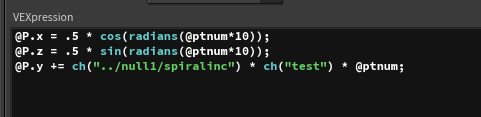
Next we set up the value of the control for test which is currently set to one. This will control the compression of the spring.
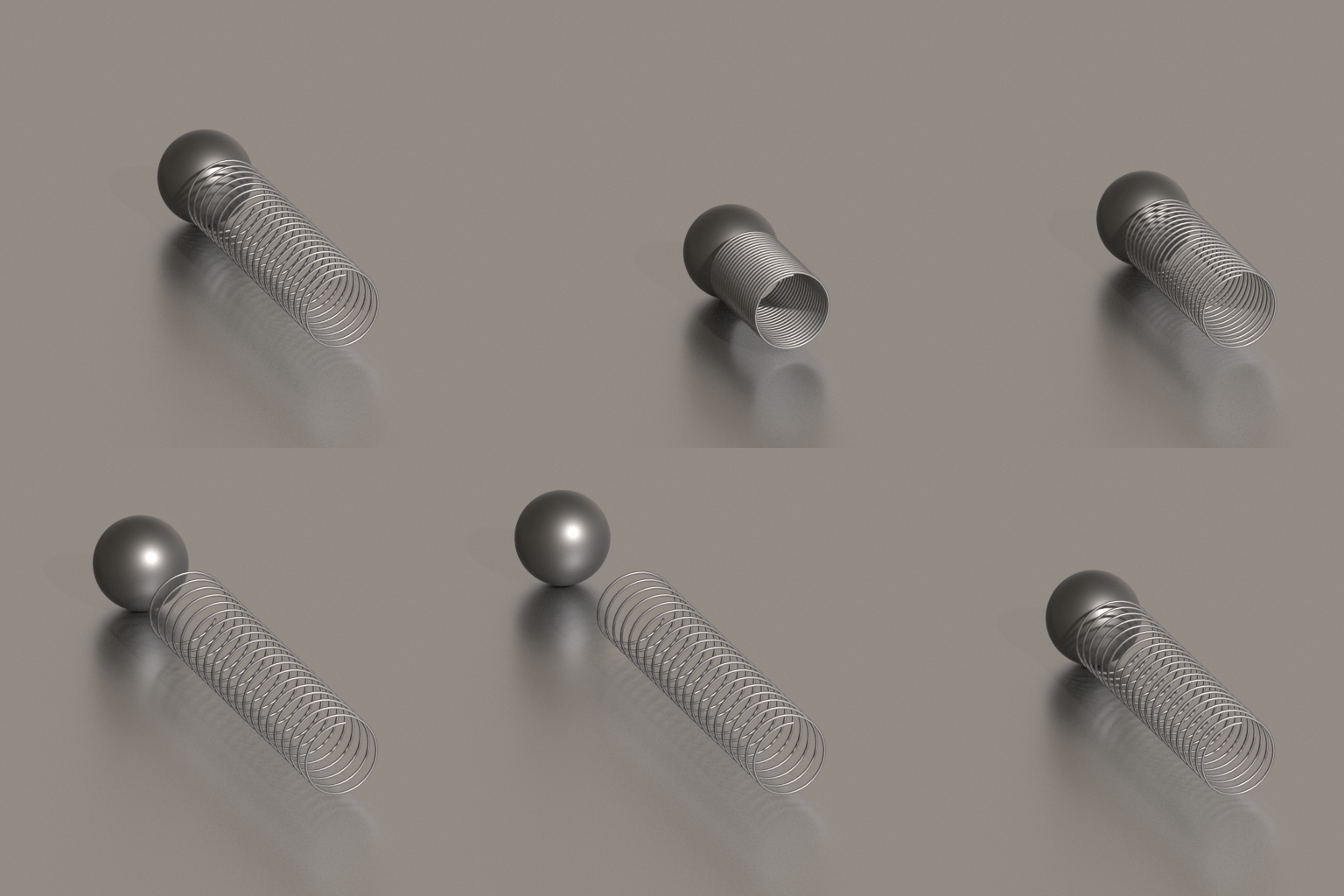
To understand this better, let's first compress a tube. To compress a tube we would take the position of the sphere edge as our position value, the boundary (the uncompressed Spring or in this case tube) and then calculate the distance between the position and the boundary to give the value of the new length.
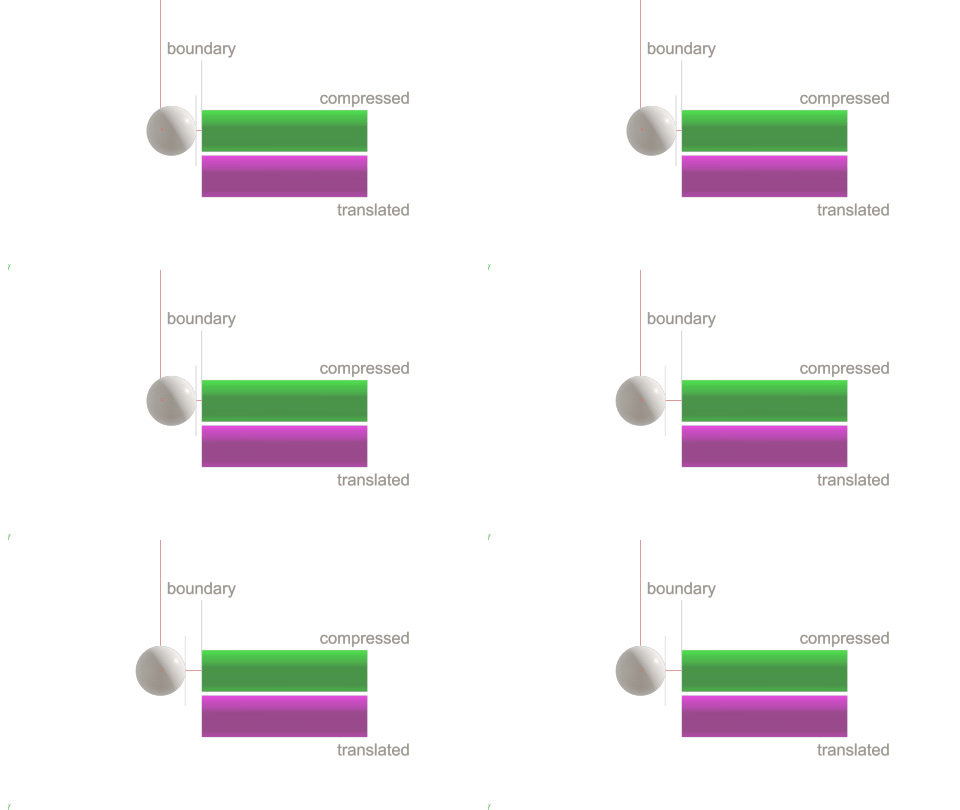
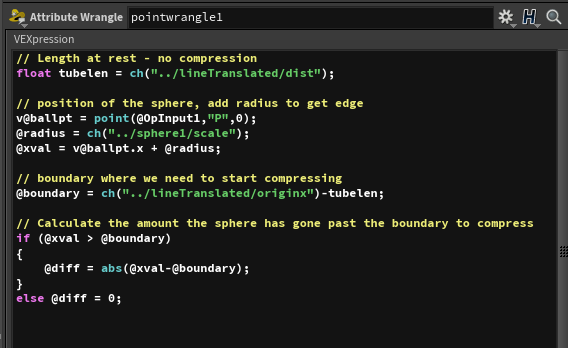
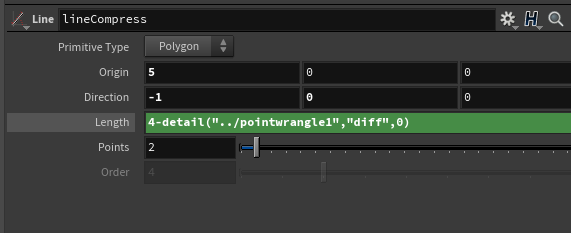
In the case of a line/tube it is a matter of subtracting the value from the length to get the new length. In the case of the spiral it is the same principle but calculation will be slightly different depending on how the spring is set up to be compressed. There are many ways to set this up. Here is the way I did it. As you can see in my point wrangle at the top of the page I have a test value and a springinc. The test value set to 1 is what I consider the rest position of my spring. The calculation is very similar to the tube above. Length is calculated, position of sphere/radius and boundary. The value test is the computation of the spring compression. If the boundary is not exceeded it is 1 (rest value) but if it has exceeded it is computed based on reducing the distance so that it fits into the new length.
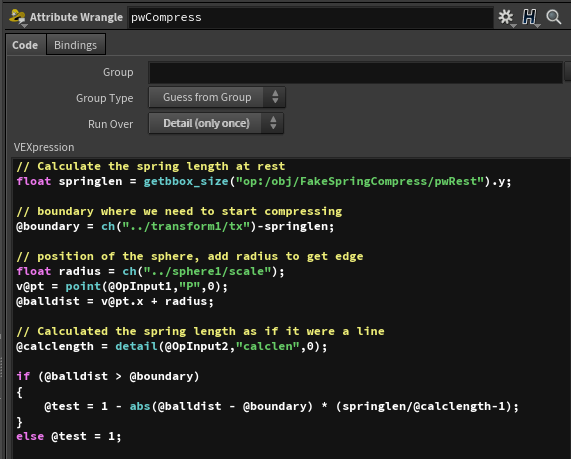
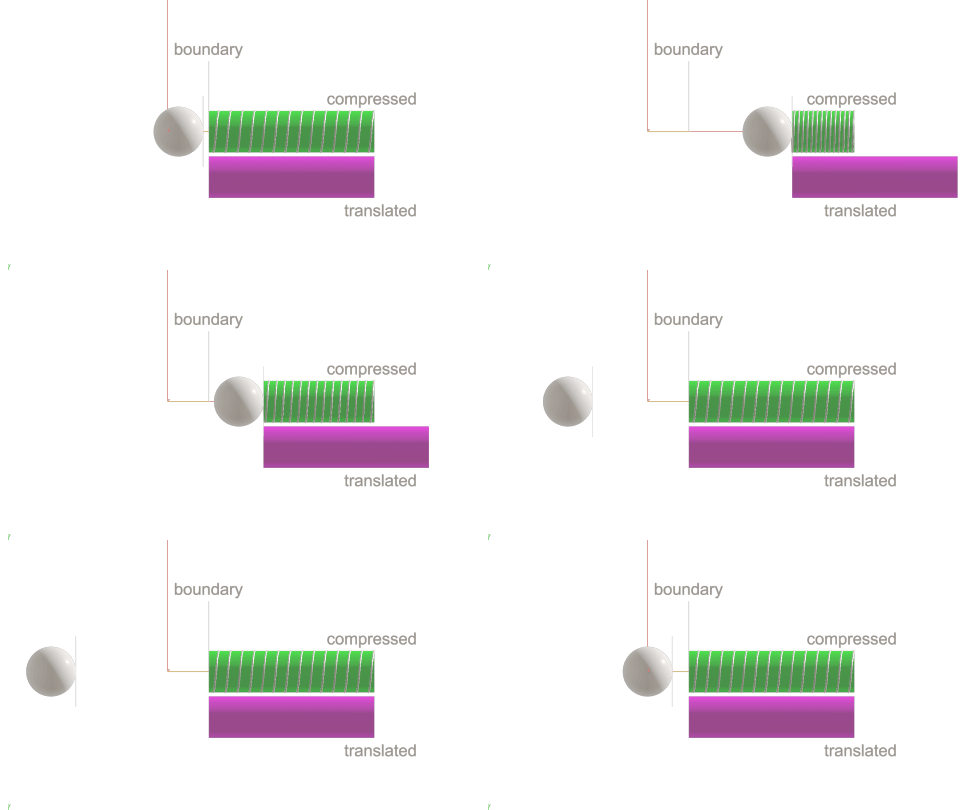
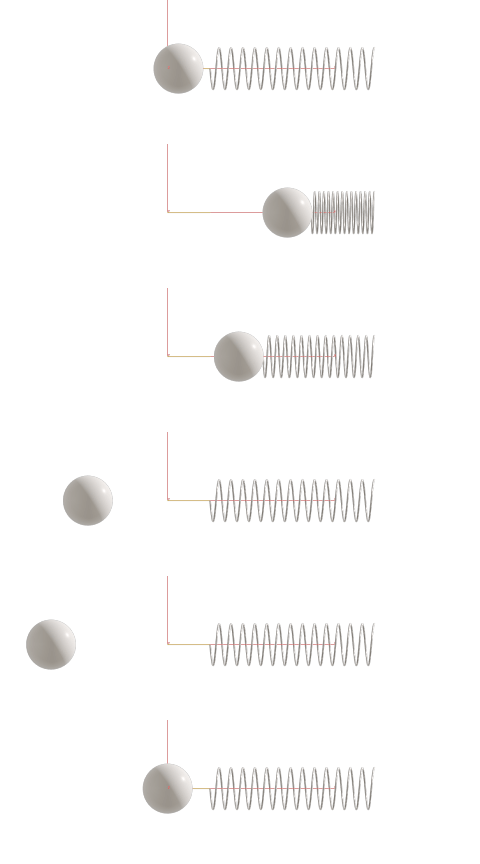
TIP: Note that I have some local variables and some attributes. The attributes other than the ones used externally are only for debugging purposes. This is a quick way to see your values in the geometry spreadsheet.
Taking this one step further, below is a variation my circle illusion from http://deborahrfowler.com/MathForVFX/CircleIllusion.html.
In order of appearance, this is the same as the circle illusion described above, adding controls to the functionality I can increase or decrease the number or change speed and size of components. Houdini makes it easy to make this procedural!
Also on https://www.youtube.com/watch?v=Gx4e7Dv92us
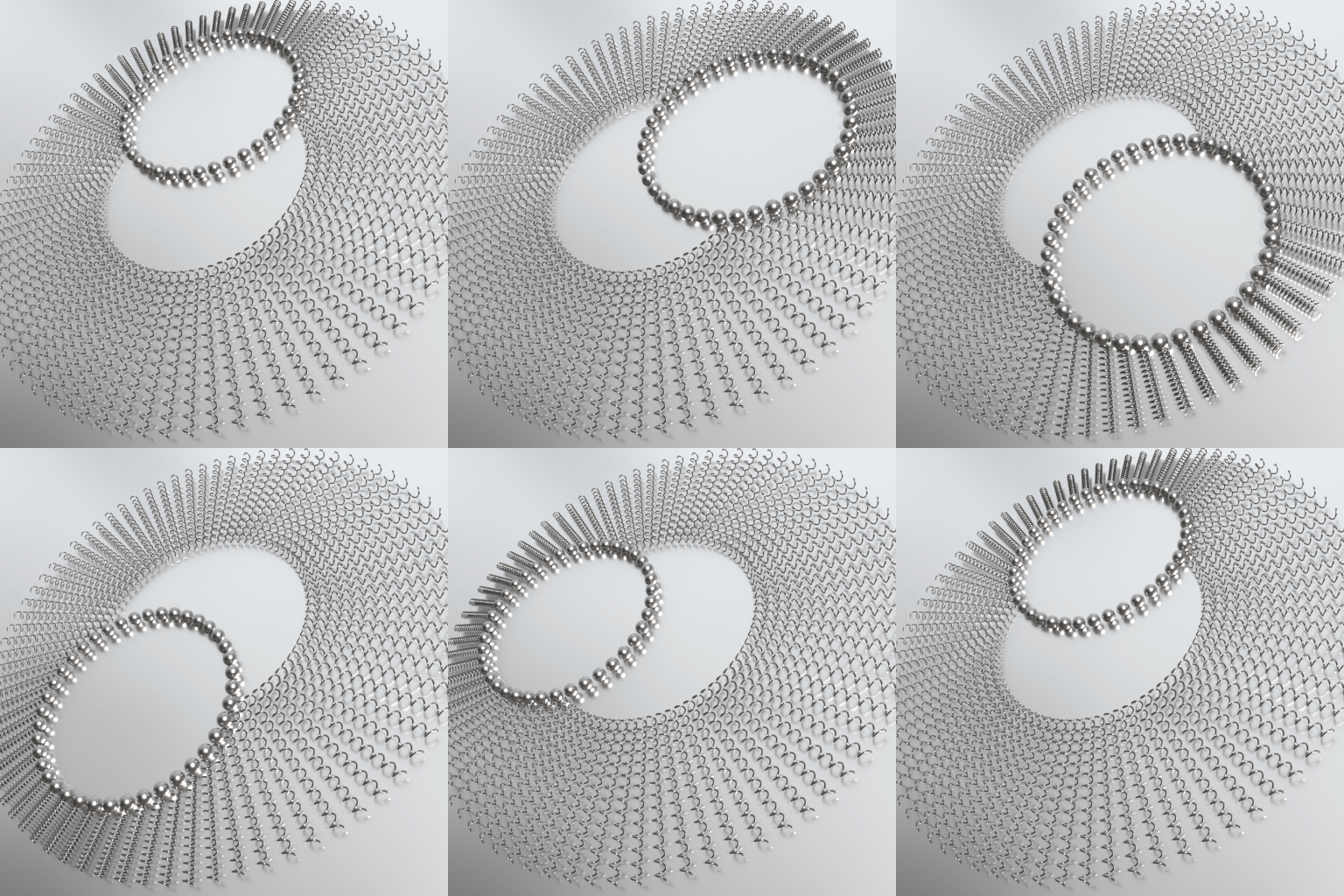
I wrote a python script to render out a few variations on my laptop while I was not using it so that it would execute it consecutively. See command line rendering in Houdini.