Inspiration REFERENCE by Akiyoshi
Kitaoka image found at (https://mymodernmet.com/akiyoshi-kitaoka-optical-illusions)
and his
website (titled Autumn Color Swamp). I recreated this
pattern in Houdini. On the right is my RESULT. 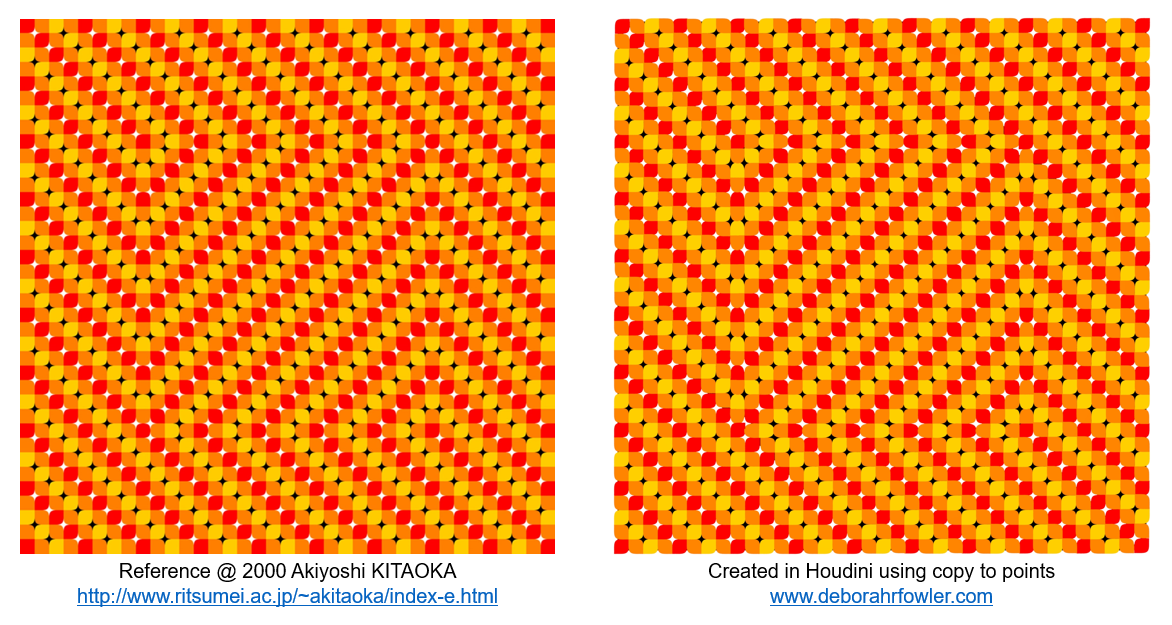 Continuing with
Illusions, this is a good exercise in problem solving and is
similar to the Line Illusion.
Problem solving is a necessary skill. How would you approach
this? I will walk through my approach below.
Continuing with
Illusions, this is a good exercise in problem solving and is
similar to the Line Illusion.
Problem solving is a necessary skill. How would you approach
this? I will walk through my approach below.
First, it's important in problem solving to break things into smaller pieces - modularity! This is true for so many things. Looking at the reference, search for the patterns.
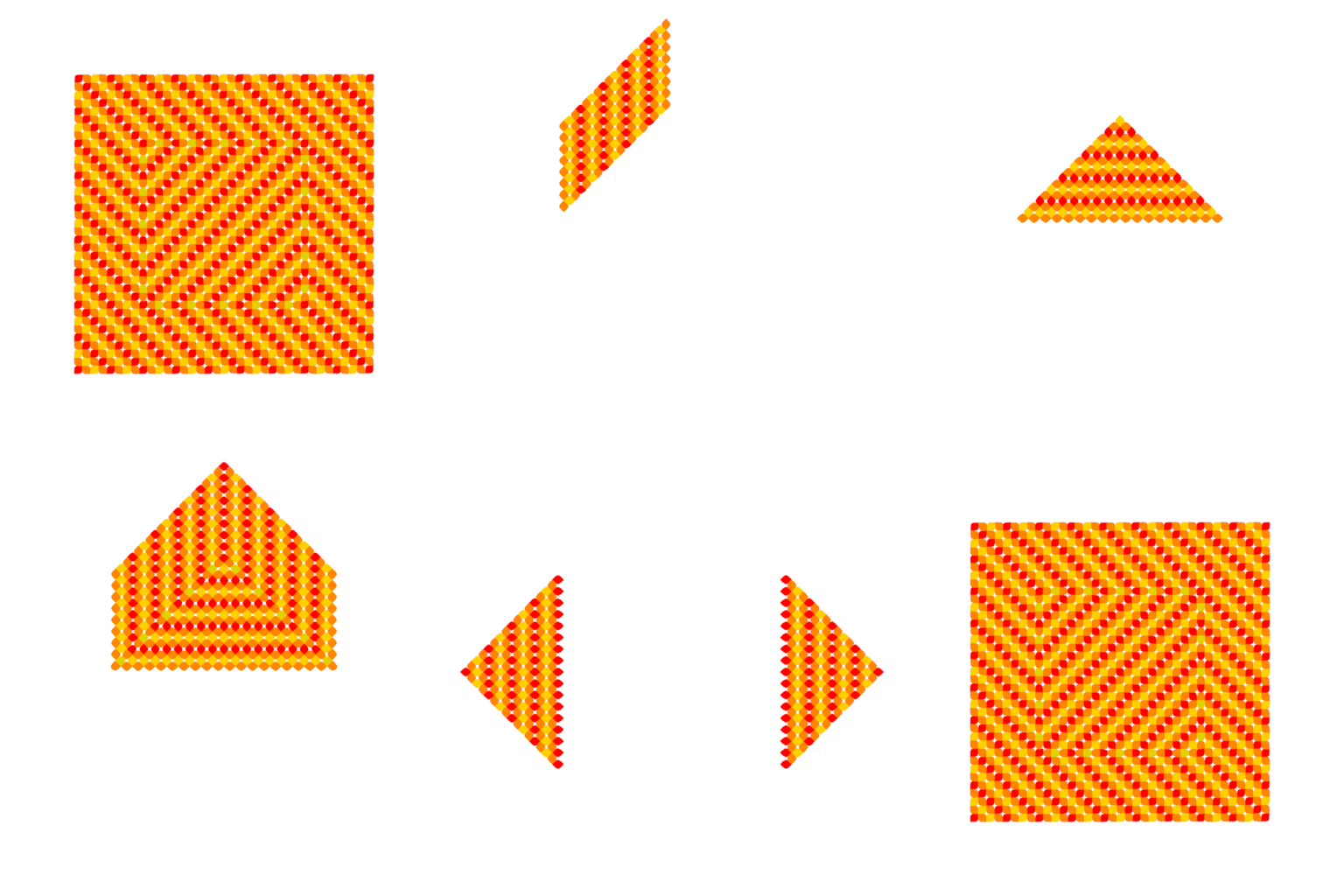
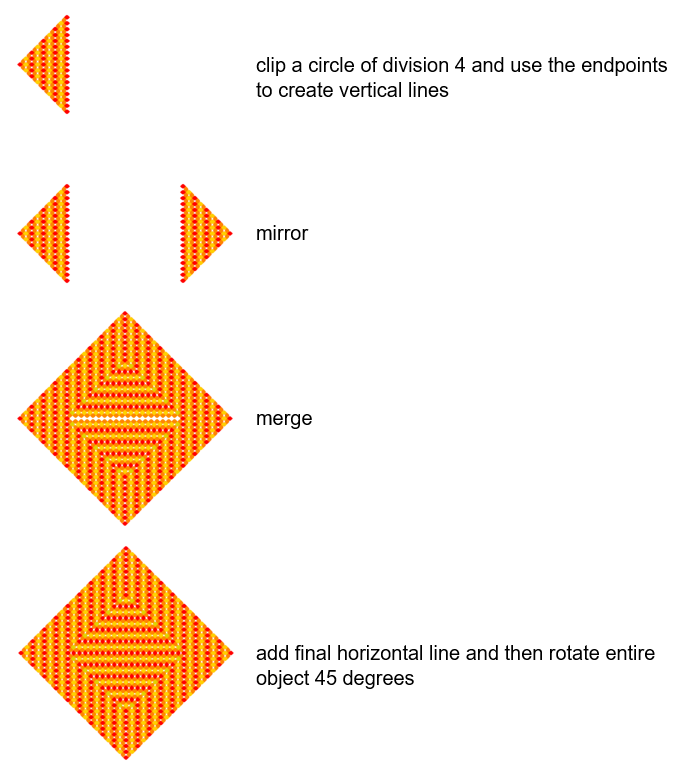
The first thing I noted was the illusion has partial rectangles running 45 degrees. Building this rotated 45 degrees makes it easier. Looking for symmetry as a way to build smaller pieces I utilized the mirror node. The gif below shows the sections that were built using lines and copy to points. Two shapes were used in my version, a droplet like shape and a capsule. If you look closely, the capsule shape is at the transition where the "square" inside appears to move.
 Stepping thru the process: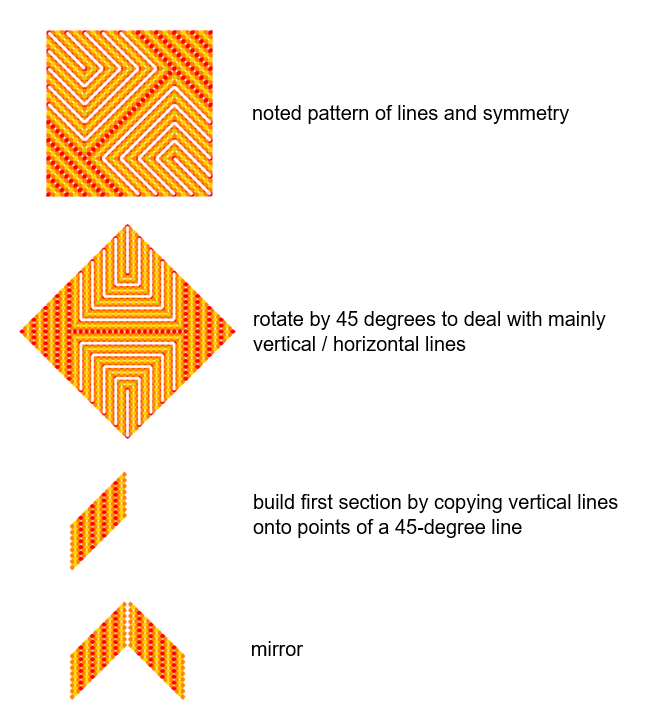
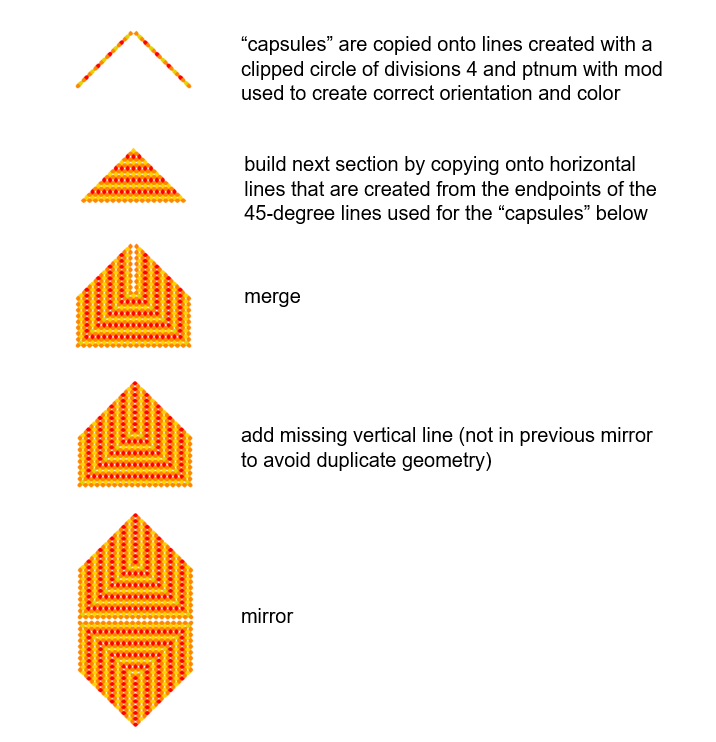
 The white lines were added
by taking the lines that were copied onto and assigning a
pscale value and merging them in at zvalue -1. The black
values in the final image were from the alpha channel
converted to black by saving as a jpg.
The white lines were added
by taking the lines that were copied onto and assigning a
pscale value and merging them in at zvalue -1. The black
values in the final image were from the alpha channel
converted to black by saving as a jpg.
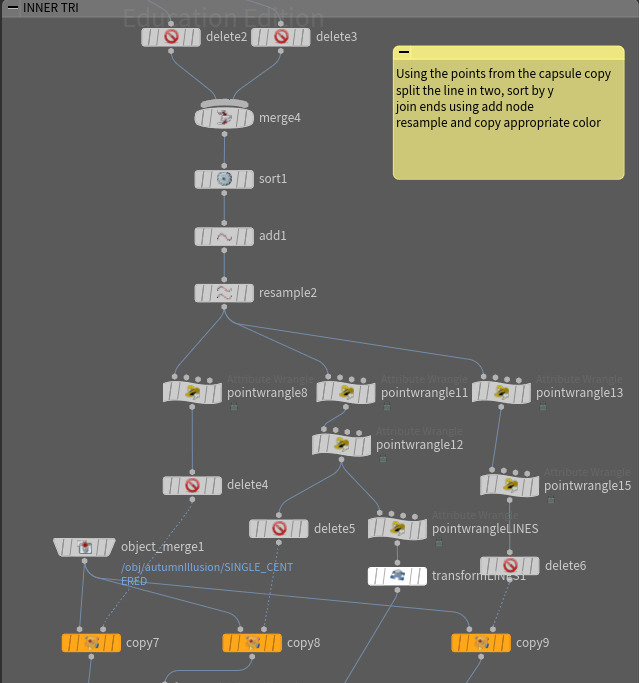
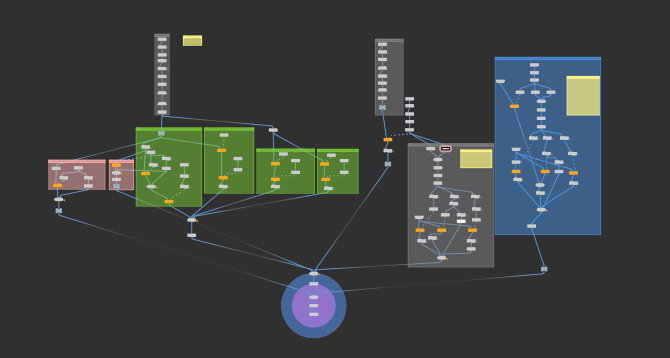
To give you more specifics in Houdini, for example here is a node network from the side triangle (blue background) and inner triangle (grey background):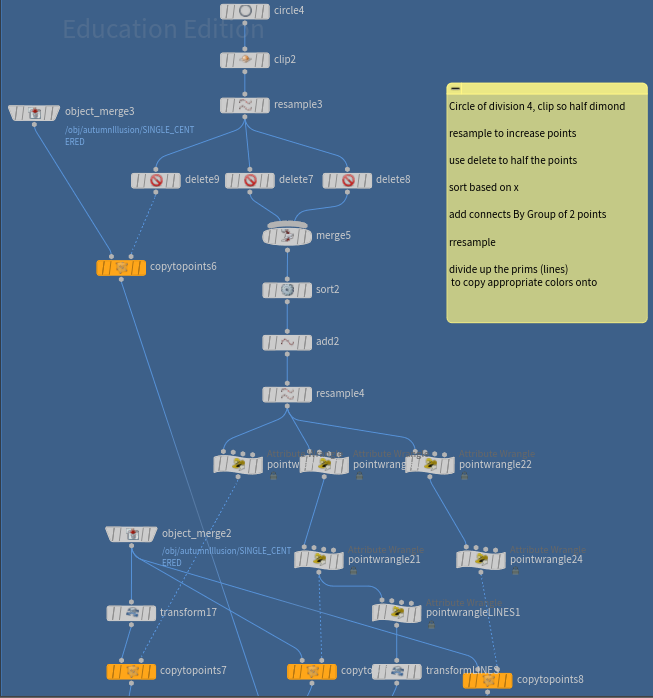
 The images below include the
node network of the shape and a view of the overall network.
The latter gives little information but is a good reminder to
keep your networks neat and tidy with stickies, network,
boxes, object merge (see overview
best practices).
The images below include the
node network of the shape and a view of the overall network.
The latter gives little information but is a good reminder to
keep your networks neat and tidy with stickies, network,
boxes, object merge (see overview
best practices). 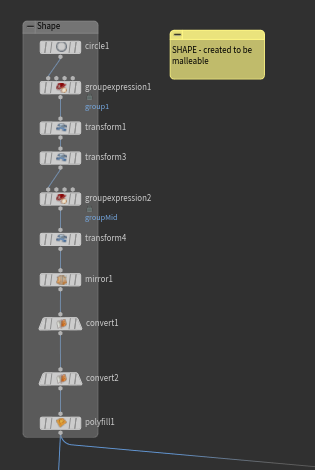
Continuing with
Illusions, this is a good exercise in problem solving and is
similar to the Line Illusion.
Problem solving is a necessary skill. How would you approach
this? I will walk through my approach below.First, it's important in problem solving to break things into smaller pieces - modularity! This is true for so many things. Looking at the reference, search for the patterns.
The first thing I noted was the illusion has partial rectangles running 45 degrees. Building this rotated 45 degrees makes it easier. Looking for symmetry as a way to build smaller pieces I utilized the mirror node. The gif below shows the sections that were built using lines and copy to points. Two shapes were used in my version, a droplet like shape and a capsule. If you look closely, the capsule shape is at the transition where the "square" inside appears to move.
Stepping thru the process: The white lines were added
by taking the lines that were copied onto and assigning a
pscale value and merging them in at zvalue -1. The black
values in the final image were from the alpha channel
converted to black by saving as a jpg.
To give you more specifics in Houdini, for example here is a node network from the side triangle (blue background) and inner triangle (grey background):
The images below include the
node network of the shape and a view of the overall network.
The latter gives little information but is a good reminder to
keep your networks neat and tidy with stickies, network,
boxes, object merge (see overview
best practices).