Instancing
Instancing / Layout (H22 UPDATE)
USD Table of Contents
Instancing is a broader concept beyond just using it in Houdini. I have used instancing in many contexts such as Renderman, Houdini, and now USD. It is also used in Arnold, Unreal etc. Replacing an object with another at render time, to enhance performance and memory.
| Instancing in
computer graphics is the practice of rendering many copies
of the same object in the scene, however there can be
variations of the original, such as different transforms
(ie. position, scale, orientation) or look (color, etc) Why? avoids duplicating the geometry
|
The history in Houdini is interesting as we went from using "instance"
nodes to provide this functionality (pre H13), then switched to packed
primitives (artist friendly instancing) and now that we are
in Solaris/USD we are back to "instancer" nodes.
Prior to H13, there was the concept of fast point instancing (for
geometry) and full point instancing (for lights). Fast allowed a
limited variation of properties for performance optimization; Full
allowed more modification.
TIP: when using "copy to points" in Solaris context be
sure it is set to Point Instancer. The "instancer" node in
the tab menu is preselected to Point Instancer. Lights are different.
Important to talk about as there are nuances to this topic in
regards to USD.
In Houdini, the process was typically to pack and override the
attributes stored in some way.
This was in particular important for lights (which could not
utilized packed).
The examples discussed in class:
Example file
showing the concepts also in each
section on lighting. Instancing in general and in Karma,
Redshift and Mantra featured.
The idea of instancing is to have an object that you keep all
detail, but then reference it in some way. Now that we are using
USD with Karma instancing becomes more evident. It is very useful
for reducing the load of complex scenes.
Packing is highly recommended in Houdini! It is instancing at
your finger tips.
However in USD (Solaris stage) there are various options:
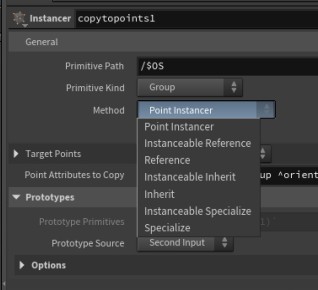
Point Instancer
- very efficient - instancing on points, rather than creating
separate geometry (so stores the prototype and points and draws
the copies at render time)
- single prim
- limited overrides (you can override point attributes)
- example below from instancer with this selection
- creates an "instanceable" or dedicated prim for each instance to allow override on an instance
- sometimes called "native" instancing
- example below (produced from packed and also a version from instancer with this selection
- instanceable = true
Reference
- creates a separate prim at each point, take up more storage
- can edit/override the descendants (as above but instanceable
not set to true ie instanceable = true does not appear)
Instanceable inherit
- like instanceable reference but inherit rather than reference
- instanceable = true
Inherit
- like reference but inherit ie. prepend inherits =
</copytopoints1/Prototypes/Root> instead of prepend
references = </copytopoints1/Prototypes/Root>
Instanceable specialize, specialize as above but
with prepend specialize
So what are inherits, references, specialize doing? prepend
modifys list-based properties - inherit provides live hierarchical
relationships, references allows modularity and resuse, specilizes
allows for controlled variation while preserving the structure.
We will talk about Variant
Sets in USD which are similar to instance overrides in that
they allow modifiying properties of a prim, but they operate
slightly differently.
Bottom Line - point instances are great for scattering
large quantities (vegetation, rocks, crowds), while native
instances can have more override per instance
capabilities/editability.
Examples - use Point Instancer whenever
possible
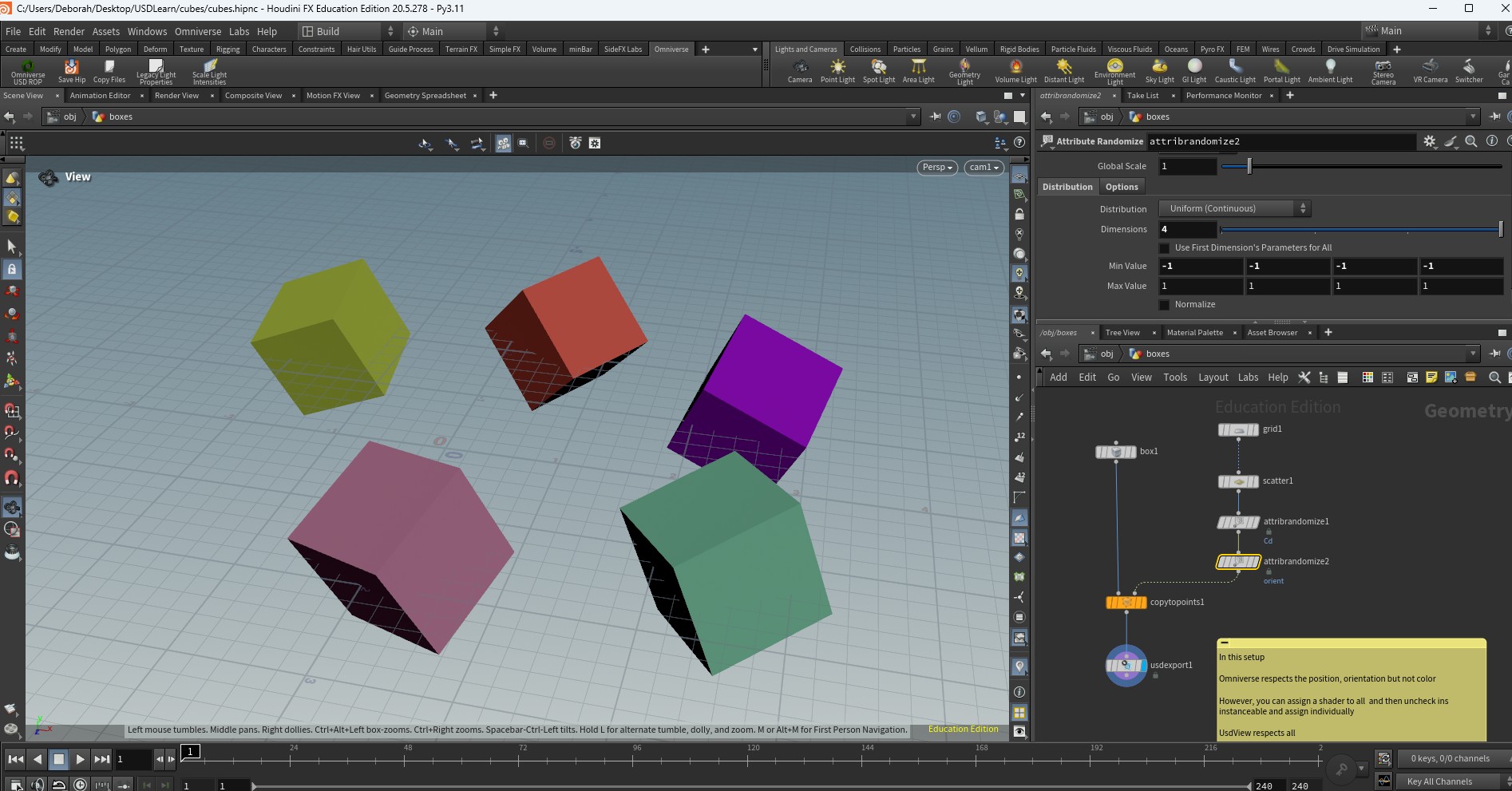
Let's take some cubes in Houdini and use packed geo, vary the
orientation and color. The export to usd in sop.
What we get is a prototype cube with instances the reference the
original mesh and add transforms. Here is part of the
file:
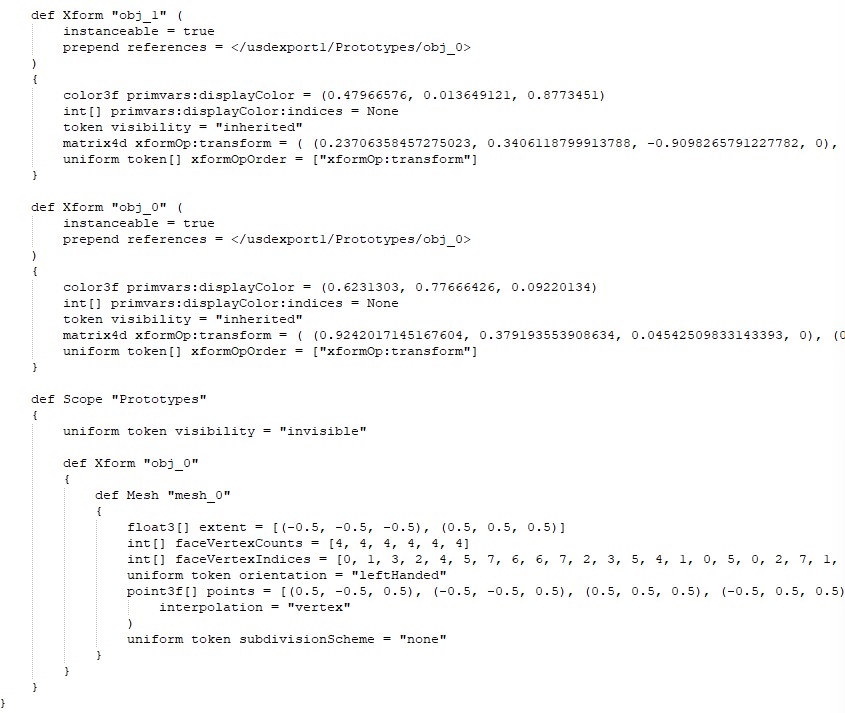
This would be an example of an instanceable reference.
If we create the same setup in Solaris, using Point Instancer we get a point instance version. This is the entire file. Note that it creates a primvar for the displaycolor as well as an orientations (stored quaternion data).
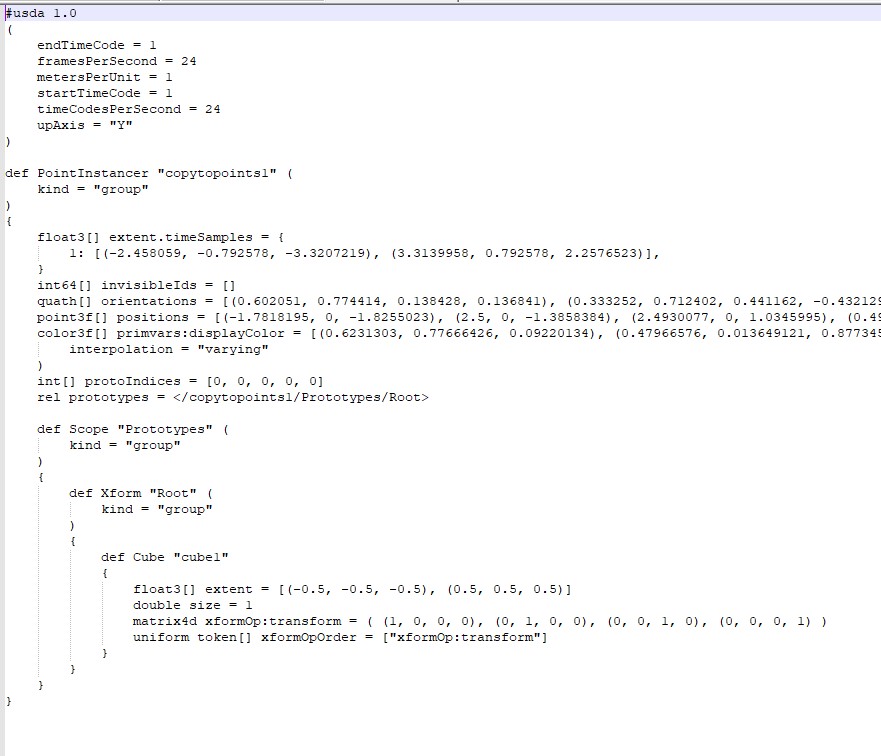
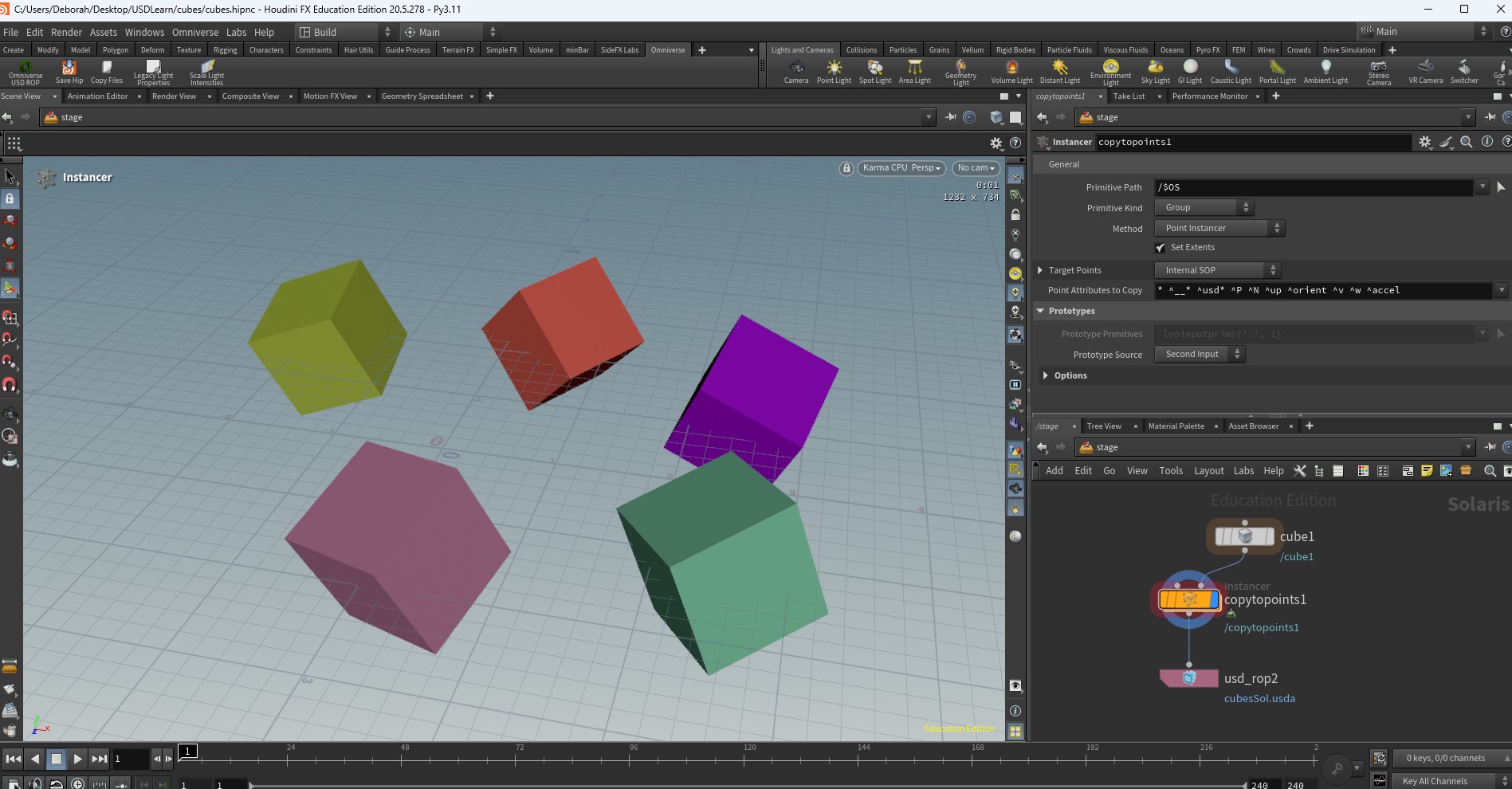
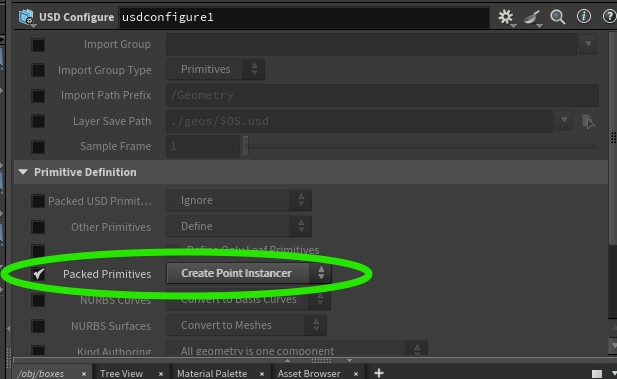
You can do the same thing from sop context just use a USD configure node. A similar property exists on the sop import so you can also achieve this in solaris while importing packed data.
The file produced looks similar to the one above.
In composer, the display color is not used, but you can also assign individual materials if desired by clicking off the instance checkbox. Interesting tool!